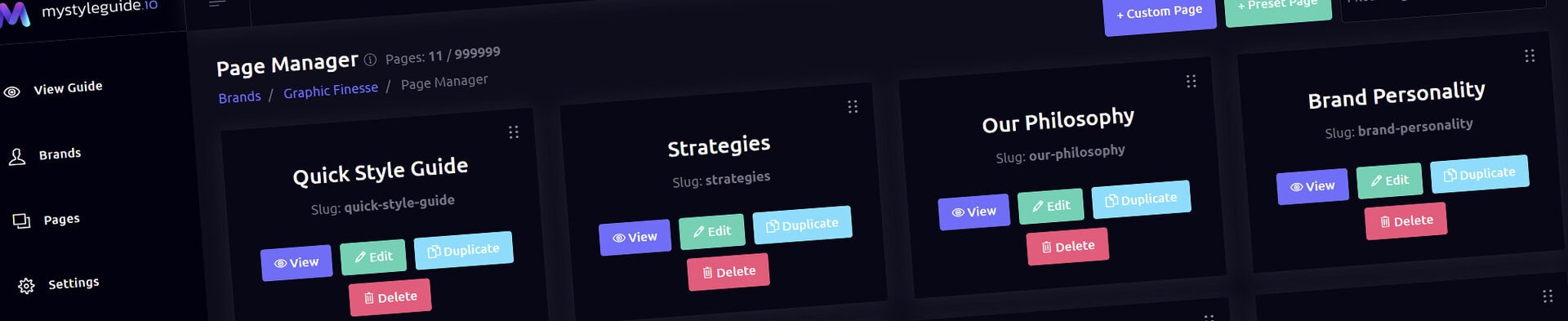
Screenshot of BrandWild digital brand guide interface showing organized assets.
Screenshot of BrandWild's digital brand management platform.

Page Manager

Create, organize, and launch pages in a brand guide.

Page Manager

Page Manager creates, orders, duplicates, and removes pages in a brand guide. It is the starting point for page-level work.

What you can do

  • Create blank or preset pages
  • Drag cards to reorder navigation and Save Order
  • Open a page in Visual Page Builder
  • Use Build with AI when the account is eligible
  • Publish a draft brand beside Save Order

How it works

AI-created pages begin as drafts. If the brand is draft, Publish Brand updates the shared Settings status without leaving Page Manager.

Tips

  • Review a page in Page Builder before publishing
  • Use Page Preview for draft work
Screenshot of BrandWild digital brand guide interface showing organized assets.BrandWild logo showcasing digital brand management and organization tools.

Create and Sharing your brand guides Quickly and Easily

BrandWild helps teams prevent off‑brand mistakes by giving everyone a single, reliable place to access your brand assets and guidelines. Built with thoughtful design and real‑world branding experience, it makes communicating your identity simple, consistent, and effortless
Go BrandWild →
© 2023 - 2026 BrandWild
  |  
Website Design by: 
Graphic Finesse